
Lose the fight. Win the rematch.
Callup Desktop clips the fights you lose while you play. The Replay Coach reads them back and shows you the moment it turned.
Automatic in Valorant, CS2, League of Legends, Rocket League and Fortnite. CS2 and Rocket League need a one-time setup step. Free to install.
Windows 10 (21H2+) or Windows 11 · 64-bit. Mac support is on the roadmap.
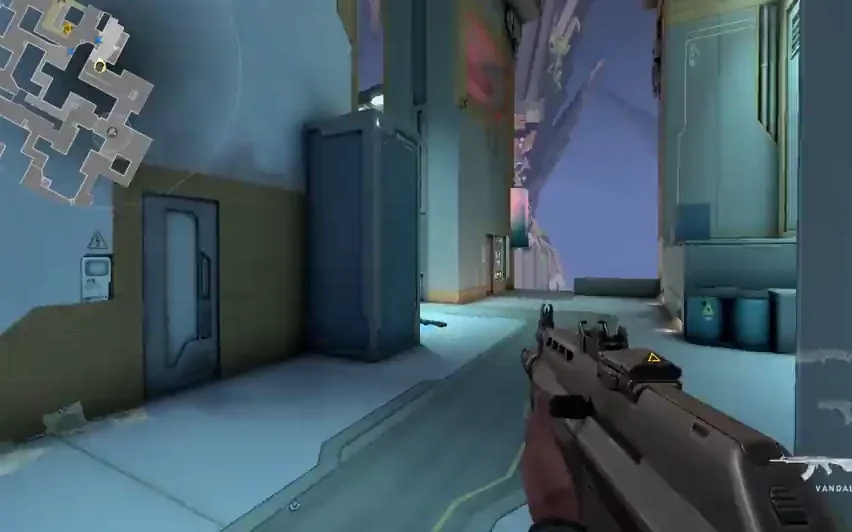
Clipped automatically. Free to install, and the free tier includes a full review.
First launch: Windows SmartScreen may show “Windows protected your PC” on this release. Click More info then Run anyway. The installer is code-signed; the warning clears as more users install.
What it does
Built for the way you actually play.
Every feature here is in the app today. Free and Pro tiers; same Callup subscription, more places to use it.
One-keystroke clip capture
Press a hotkey mid-match. Callup grabs the last seconds of gameplay and drops it straight into your queue.
Window-only, privacy-first
Captures the game window, never your full desktop. Discord, browsers, and notifications never leak in.
Anti-cheat-aware
Built on Windows.Graphics.Capture, the same API Xbox Game Bar uses. Designed to coexist with major anti-cheat.
Edit and publish without leaving the app
Trim, balance audio, add a caption. The same flow as the web upload, all inside the desktop client.
Highlight reels
Stitch your best captures into a montage in one click. Free accounts get one reel; Pro gets one every session. Desktop only.
Local-first by default
Captures live on your machine until you publish. Nothing leaves your computer until you say so.
System requirements
- Windows 10 (64-bit, 21H2 or newer) or Windows 11
- DirectX 11 or later capable GPU
- Hardware encoder support (NVIDIA NVENC, AMD AMF, or Intel Quick Sync) recommended
- 8 GB RAM minimum, 16 GB recommended for 1080p60 capture
- 10 GB free disk space (configurable in Settings)
Anti-cheat compatibility is checked title by title. Capture for any title can be temporarily disabled remotely if a game’s anti-cheat ships an incompatible update, we err on the side of your account’s safety.
macOS support is on the roadmap.
We hear you. The iOS app and web app work great on Mac in the meantime.
Install it before your next match.
The next fight you lose lands in the app on its own, graded, with the moment it turned marked. The free tier includes a full review.
Download for Windows (289 MB) Upload. Improve. Get Called Up.